A workspace built for the document.
TenderTools is built around the page you are writing. What you see on screen is what gets submitted. The better you can see what you are making, the better you write.
- One document per criterion, on A4, the page as the evaluator will read it
- The criterion switcher at the top: move from question to question without losing your place
- A live page counter at the bottom: the maximum, the pages you have used, and whether you fit. It turns red when you go over
- Text edits and styling right where you write: headings, bullets, bold and italics
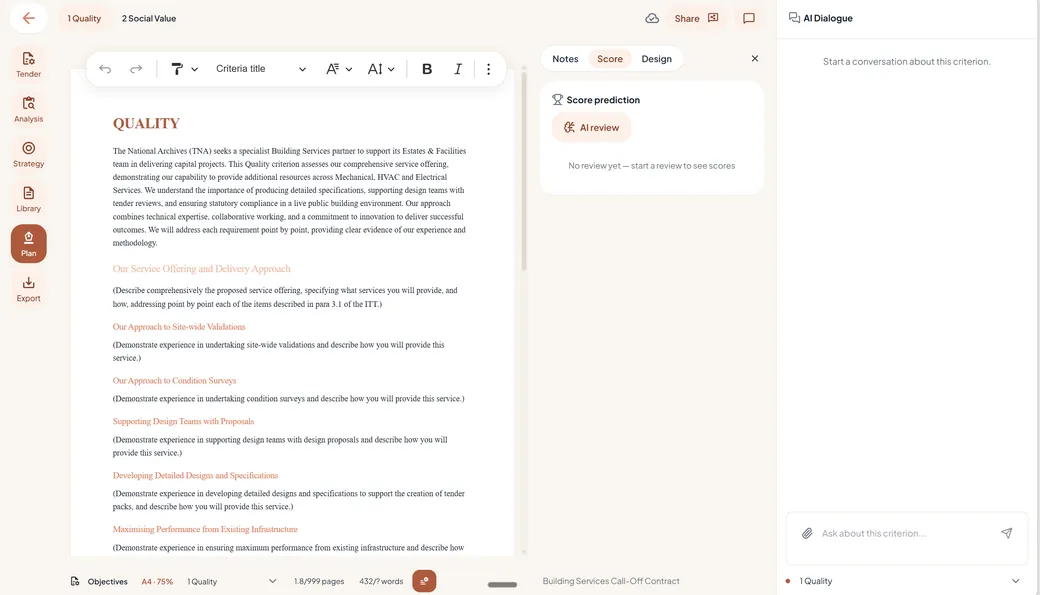
Three panels around the canvas.
Review, design and notes live beside your text in the same plan. Open the one you need for the moment you are in.
Review panel
One button runs the AI review at the depth you choose: the legal check, the strategy review, the detailed review or the structure review. The findings land beside the text.
See how Review works →Design panel
Headings, type and layout in your house style, set once and applied everywhere, with the tender's format rules checked as you go.
See how House style works →Notes panel
Reviewers' notes and the AI's review notes, gathered next to the line they belong to. Everyone sees each other's notes and can reply.
See how Collaboration works →Select the text. Press one button.
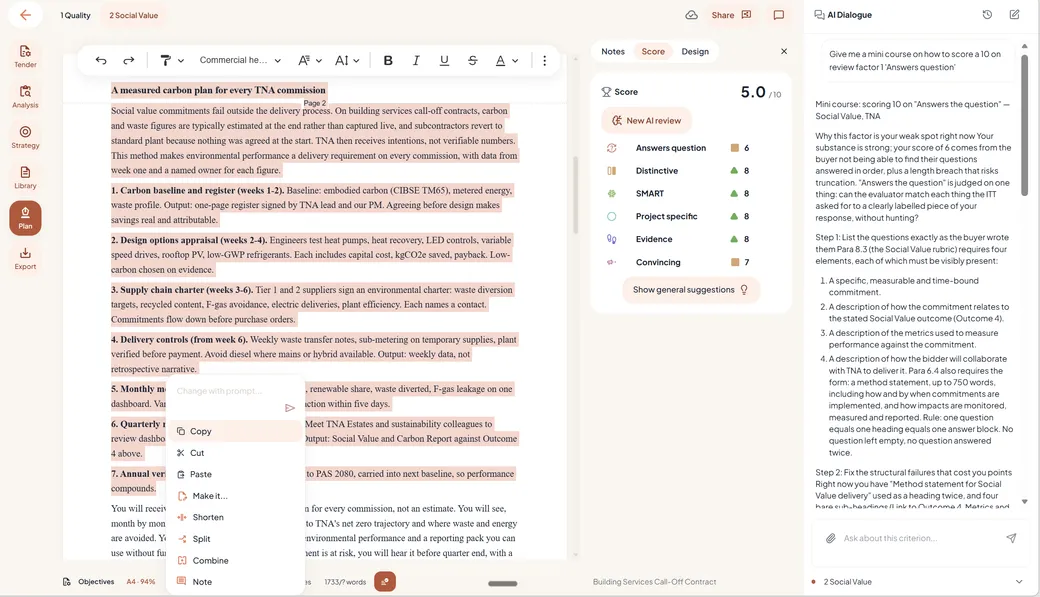
Highlight a passage and the menu appears: prompt it yourself, or use the shortcuts bid writers reach for every day. Behind each button sits a carefully built prompt, often pages long, so the action performs and the output is worth keeping. You press and go, without writing a prompt or thinking it over.
- Shorten
- Make it more persuasive
- Make it SMART
- Align it with the wording of the tender documents
- Split, or merge with the text around it
- Add ideas
- Or rewrite it with your own instruction
And because your strategy and tone of voice are set, the AI already writes the way this tender needs. Every action runs through your positioning, not past it.
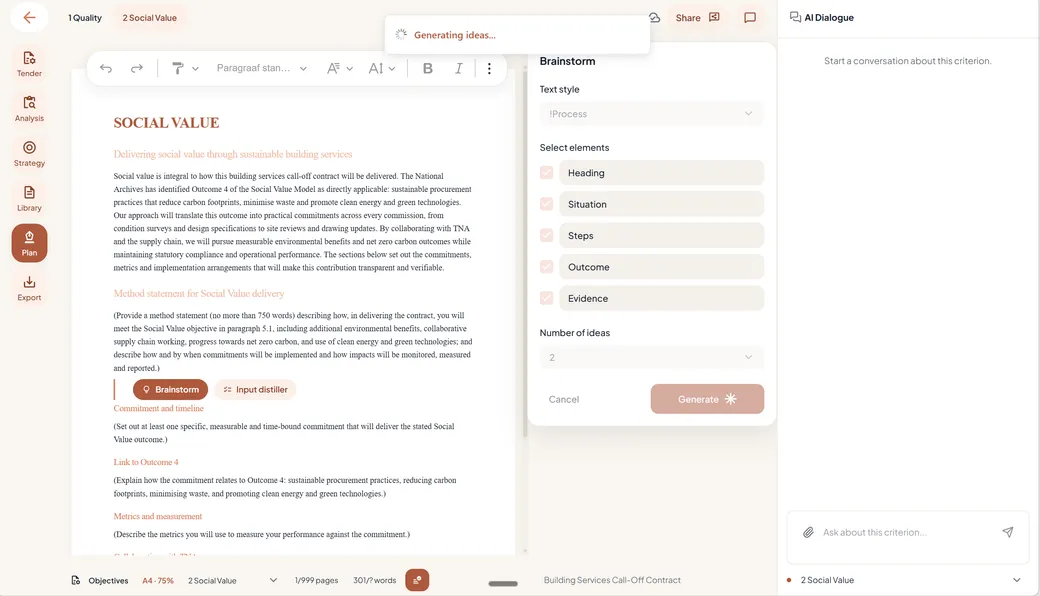
Stuck? Brainstorm knows exactly where you are.
Put your cursor on a subquestion and press brainstorm. The AI knows the criterion you are under, the objectives of this project and the question itself, so the ideas it brings are about this question, in this tender. It hands them over as text that is well written and ready to use. You keep what works.
Open the brainstorm panel and ask for what the answer needs: a team section, a section with measures and evidence from other projects, whatever fits. The structures are built into the AI itself, from more than ten years of training on tender writing. That is long enough to know which text structures score with evaluators, and which do not.
The commitments inside the texts follow !SCORE™: Situation, Commitments, Outcome, Rationale, Evidence. The shapes tenders keep asking for are one click away:
- A process text, step by step
- A text focused on outcomes
- A team section
- Measures and evidence from earlier projects
And you choose the shape of the output: one text, two or three of them; with or without an introduction; with the evidence in, or left out. Ask for what you need, and the AI writes it the way you want it this time.
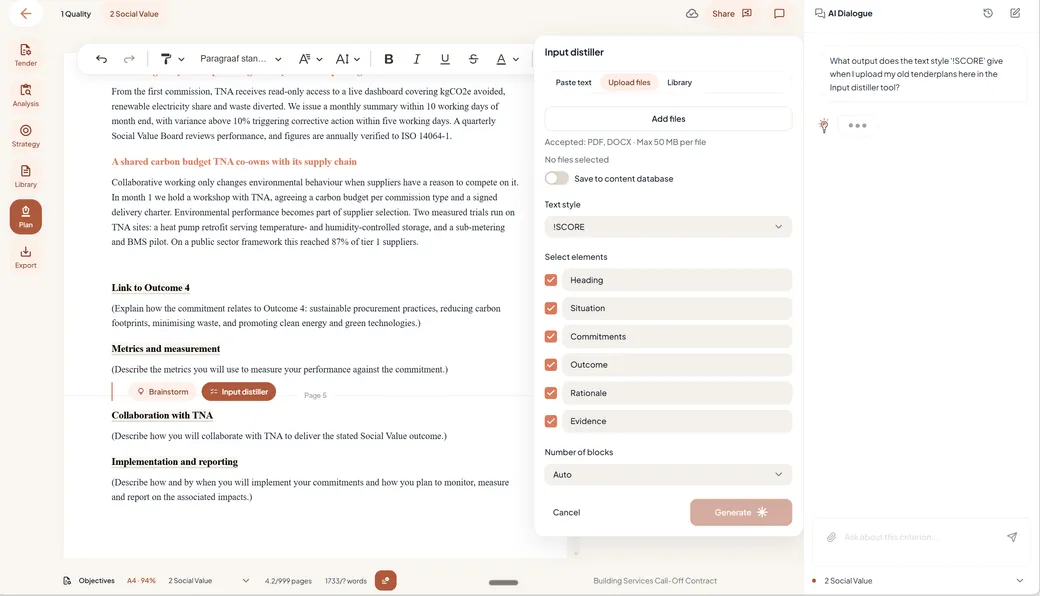
The input distiller: raw input in, an answer out.
Turn everything you already have into the text this subquestion needs. Press Enter on a subquestion and the input distiller opens: paste in your notes, bring a document, or pull one from your content library. It reads what you gave it through one lens: this criterion, this subquestion. It keeps what is relevant and writes it into the plan.
Pick the structure that fits and the output follows: a team text, a text for your vision setting, or one full of measures and evidence. These are the preset writing models the brainstorm works from, with a lot of tender knowledge built in and one click for you to use it.
The response stays this tender's answer: what goes in can come from anywhere, but what comes out answers the question in front of you. A text you could send to any tender will not win this one.
Everything feeds the plan. And the plan feeds back.
Two things are set before you write a word: the analysis of the tender and the strategy for winning it. Both feed the plan you write, and both come back in the review of what you wrote.
Written the plan? Press Review and answer the notes beside the text. Then continue in the smart dialog screen: spar about your answer, ask for text proposals, accept them or steer them further. And while you write, the AI keeps checking requirements and format, warning you when an answer risks being marked “poor or not answered”.
What you will use it for, every day.
Three moments where the canvas carries the work.
The blank page.
Put the cursor on the subquestion and press brainstorm. The AI knows the criterion and the tender's objectives, so the ideas arrive on this question and leave as text you can write on.
A pile of input.
Feed the input distiller your notes, a document or a library file. It keeps what answers this subquestion and writes it up in the structure you choose.
A plan that has to go out.
Press Review, answer the notes beside the text, and spar in the dialog screen until every criterion reads its best, with proposals accepted or steered one by one.
Write your next plan in TenderTools.
A canvas built around your document, with every smart thing one press away.
Free for 30 days. No credit card required.