Everything in one plan.
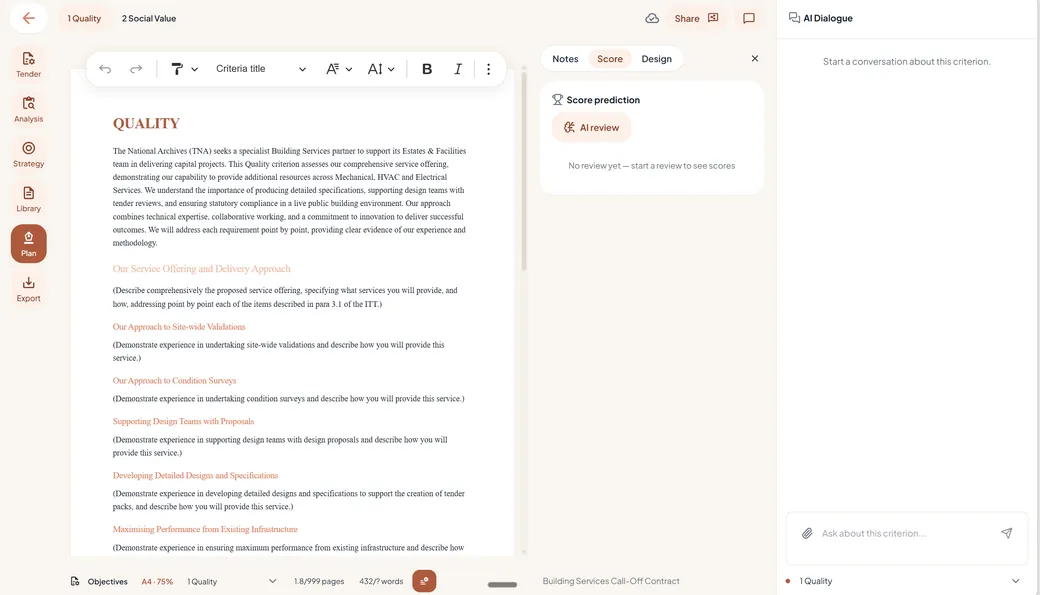
The whole team works in one document, with the analysis, the strategy and the review right beside it. No more working in an old version by accident, or opening the wrong attachment from an old email.
No more email threads.
Reviewers see the tender details, the important strategic decisions and the plan itself. They leave notes on the sidebar (the notes panel) beside the text, together with the AI's review notes. Everyone sees each other's notes and can respond to them.
Companies used to working together in one Word file in a cloud solution (Sharepoint, for example) will find this very familiar.
Experts use the notes to add information or record decisions. Managers and directors read the plan to know what is being proposed before the bid is handed in. Writers leave notes on the exact spots where they need more information from team members.
Never write the same answer twice.
The organisation manager creates content databases, available to all organisations, or to one specific organisation. Use them for content that helps every organisation, or create separate databases per product, service, business unit or department.
Content from old tenders and other useful information is available to all. To prevent data leakage in labelled projects (secrecy, under NDA), the organisation admin links the available libraries to the new project.
You decide exactly who sees what.
An organisation manager configures precisely what each user sees: which organisations, content libraries and projects. People in different business units? Create multiple organisations and set each user's role per organisation.
Admins keep insight into licences, writer seats, token usage and costs, and set the invoicing address and email. Within a project, the writer invites team members and reviewers for review.
Never lose sight of a running tender.
Company managers keep an overview of all running projects in the project overview dashboard.
Every project shows its project name and the contracting authority. Internal project numbers can be added per project and appear in the overview too.
Every plan, always on brand.
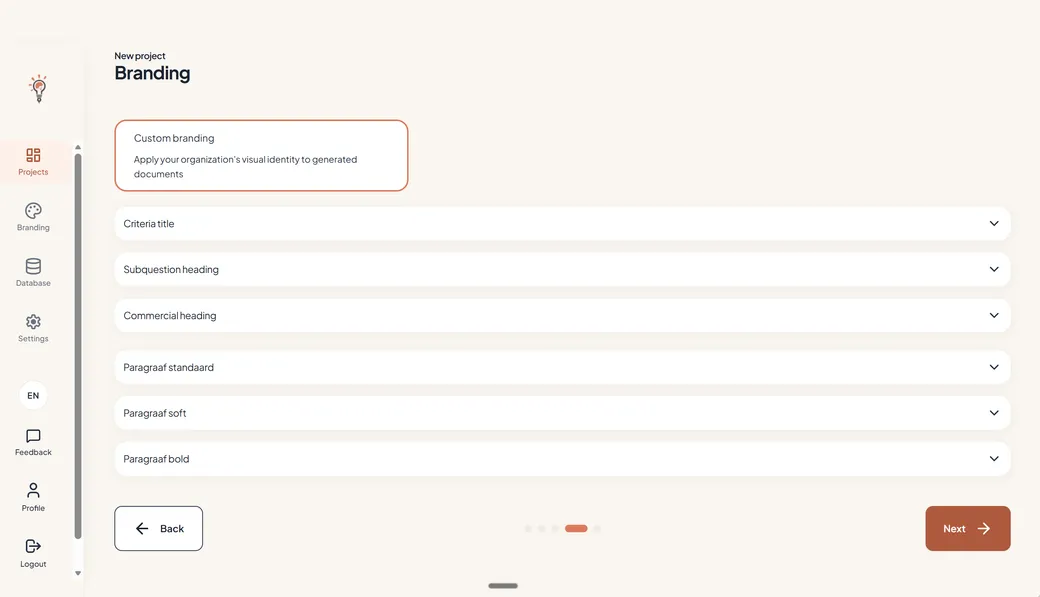
Set your company branding once, at organisation level (house style colours and fonts), and every writer works from the same look.
Advantages over personal AI software.
By making TenderTools available to your team, they have less need to work in personal AI tools such as ChatGPT or Claude.
So-called “phantom AI” carries the main data-security risk: plans being used to train the AI. In TenderTools, content, organisation brand settings and more are shared with the team, easily and automatically.
Cooperation is the other big advantage: colleagues place their review notes beside the text, and writers turn those notes into new or adapted text, easily and without leaving the plan. Working in Word with a generic AI, writers hop between tools all day, and every hop costs focus and time.
Reviewers are always free.
Colleagues and external reviewers read and comment free and without limit, without a licence and without export, and they never take a seat. You only pay for the people who write.
- Comments per criterion, next to the text
- Roles and permissions, and libraries with permissions per library
Write together from day one.
One workspace, one plan, one review, and reviewers who never take a seat.
Above 10 writer seats, talk to us.