One setup for your whole organisation.
A content database for every team.
The organisation manager creates content databases for your organisation. If you work with teams — departments or business lines — you can create a different database for each one, so every library holds exactly the content that team needs.
Content that helps every team can live in a shared database; material for one team stays in its own database.
The right libraries, for the right teams.
Permissions are set per library, so every writer sees the material they need — and nothing more. A shared database can be open to the whole organisation; each team's own libraries can stay with that team.
To prevent data leakage in labelled projects (secrecy, under NDA), the organisation admin links the available libraries to the new project.
Set users per organisation.
You decide who works in each organisation and what they see — which content libraries and projects each user can open. Everyone gets a role per organisation.
Admins keep insight into licences, writer seats, token usage and costs, and set the invoicing address and email. Roles, permissions and writer seats all live together in user management.
Built for groups with several business units.
Working across several business units, brands or subsidiaries? Set up an organisation for each one, with its own users, its own content databases and its own design scheme.
A cross-organisation administrator keeps the overview across all of them. Talk to us about a multi-organisation setup.
Set the design scheme once.
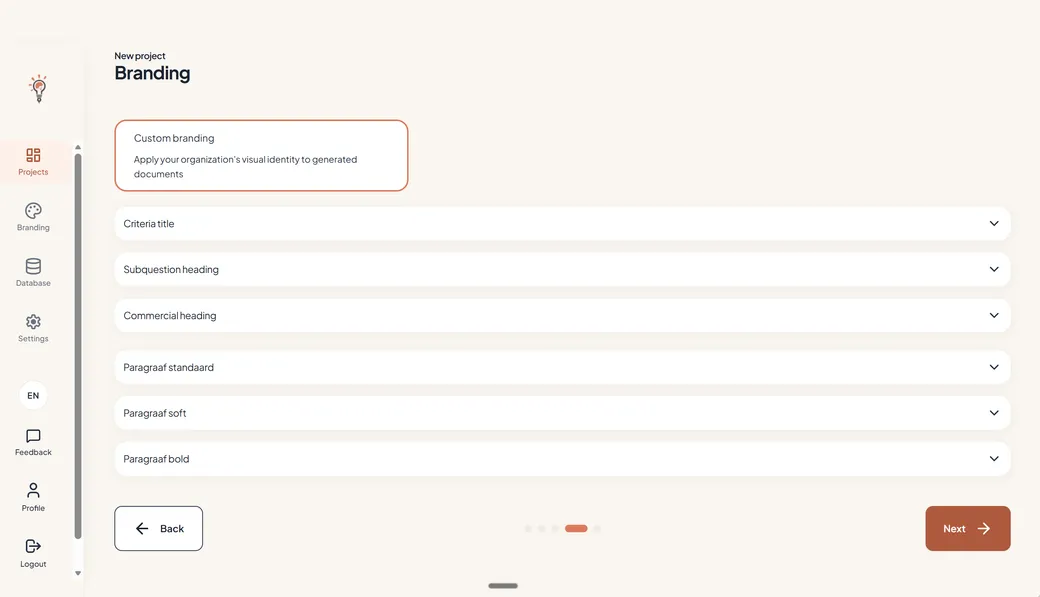
In the main setup for your organisation, you set the design scheme: house style colours, fonts and more. Every new project a writer starts uses it, so documents from every team arrive in the same look — you set it once, and it holds for every writer.
Why set it up at organisation level?
When setup lives at organisation level, nothing has to be rebuilt per project or per writer. Every new tender starts from the same content libraries, the same roles and the same design as the last one.
In TenderTools, content, organisation settings and more are shared with the team, easily and automatically. Every organisation stays separated from every other in one authorisation layer — what belongs to one team stays with that team.
Writers spend their time on the tender, not on setup — the libraries, the roles and the design scheme are in place before they start.
What lives at organisation level.
Set it up once, and every writer in every team starts from the same playbook.
- Content databases — one for the whole organisation, or one per department or business line
- Users and roles — set per organisation, with permissions per library
- Design scheme — house style colours and fonts, applied to every new project
- Admin insight — licences, writer seats, token usage and costs, in one place
Set up your organisation once.
Content databases, users and your design scheme — in place for every team, every writer and every tender.
Above 10 writer seats, or working across several business units? Talk to us.